# Cisco - Mise à jour de firmware
| [](https://docs.labs404.fr/uploads/images/gallery/2026-07/scaled-1680-/4fDintermediaire-png.png) | Difficulté : Intermédiaire
Notions : Firmware, switch, cisco
|
---
### **I. Introduction**
Cette procédure vise à expliquer le déroulement d'une mise à jour de firmware cisco small business en mode console et en mode web.
---
### **II. Préparation**
Le firmware peut être téléchargé ici : [https://www.cisco.com/c/en/us/support/index.html](https://www.cisco.com/c/en/us/support/index.html)
Pour se connecter en mode console, voir : [Cisco - Se connecter au port console](https://docs.labs404.fr/books/reseau-Vdy/page/cisco-se-connecter-au-port-console "Cisco - Se connecter au port console")
---
### **III. Mettre à jour le firmware**
En mode console / ssh
Prérequis : un serveur TFTP accessible par le switch. voir : [Logiciel - tftpd64](https://docs.labs404.fr/books/11-logiciels/page/tftpd64-utilisation "Logiciel - tftpd64")
Se connecter à la console.
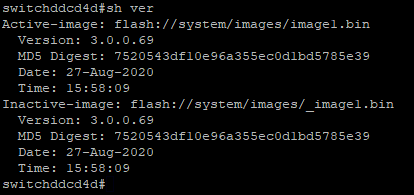
Vérifier la version existante avec la commande :
```
sh ver
```
[](https://docs.labs404.fr/uploads/images/gallery/2026-07/scaled-1680-/nJTimage-png.png)
Télécharger l'image présente sur le serveur TFTP.
```
boot system tftp:////.bin
```
[](https://docs.labs404.fr/uploads/images/gallery/2026-07/scaled-1680-/pUOimage-png.png)
Attendre la fin du téléchargement.
[](https://docs.labs404.fr/uploads/images/gallery/2026-07/scaled-1680-/D8wimage-png.png)
[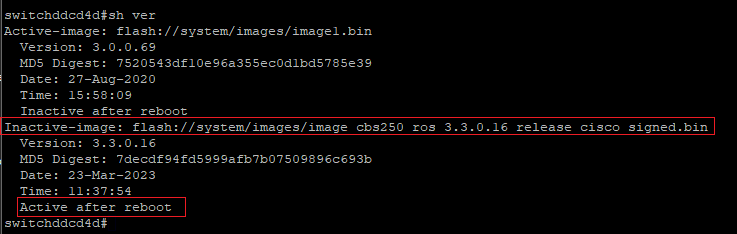](https://docs.labs404.fr/uploads/images/gallery/2026-07/scaled-1680-/E0Ximage-png.png)
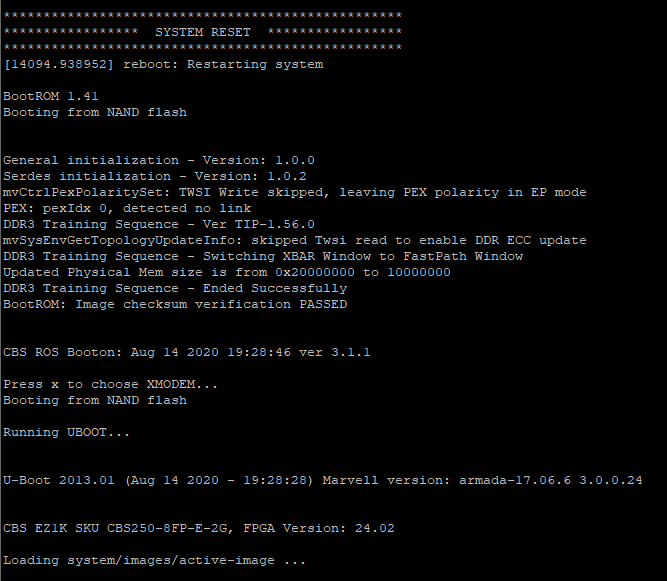
redémarrer le switch avec :
```
reload
```
[](https://docs.labs404.fr/uploads/images/gallery/2026-07/scaled-1680-/ZjLimage-png.png)
[](https://docs.labs404.fr/uploads/images/gallery/2026-07/scaled-1680-/Y5bimage-png.png)
[](https://docs.labs404.fr/uploads/images/gallery/2026-07/scaled-1680-/PITimage-png.png)
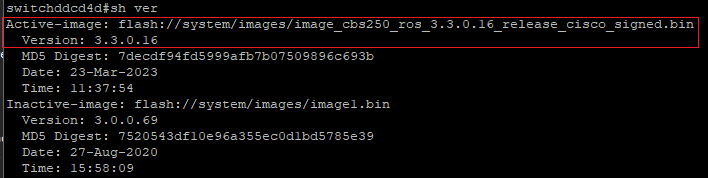
revérifier la version de l'image active après le redémarrage.
```
sh ver
```
[](https://docs.labs404.fr/uploads/images/gallery/2026-07/scaled-1680-/aZWimage-png.png)
En mode web
Aller dans '***Administration --> File management --> Firmware Operations***'
[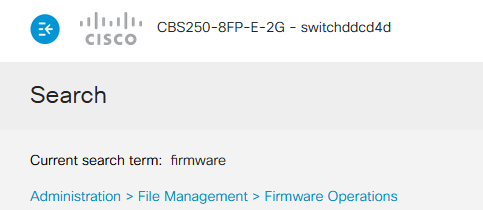](https://docs.labs404.fr/uploads/images/gallery/2026-07/scaled-1680-/KMBimage-png.png)
La version actuelle du firmware est affichée sur la page.
[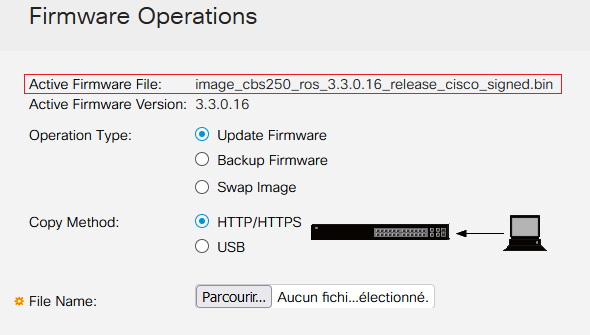](https://docs.labs404.fr/uploads/images/gallery/2026-07/scaled-1680-/Deuimage-png.png)
Pour mettre à jour, le plus rapide est de Parcourir le pc et sélectionner le firmware.
[](https://docs.labs404.fr/uploads/images/gallery/2026-07/scaled-1680-/dTBimage-png.png)
Puis faire :
[](https://docs.labs404.fr/uploads/images/gallery/2026-07/scaled-1680-/gWNimage-png.png)
Attendre la fin du transfert
[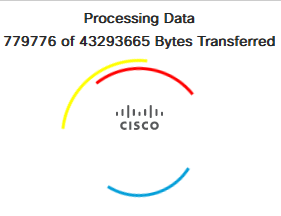](https://docs.labs404.fr/uploads/images/gallery/2026-07/scaled-1680-/HLeimage-png.png)
Après un moment d'attente :
[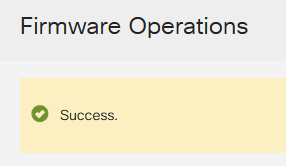](https://docs.labs404.fr/uploads/images/gallery/2026-07/scaled-1680-/sB9image-png.png)
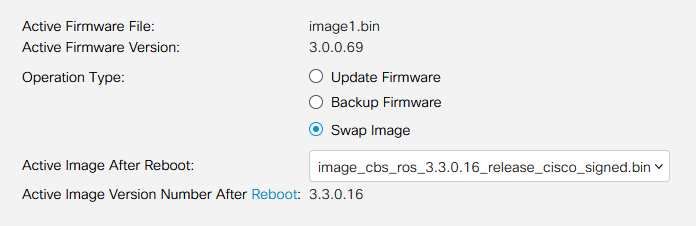
Ensuite, cocher '***Swap Image***', sélectionner la version de l'image.
[](https://docs.labs404.fr/uploads/images/gallery/2026-07/scaled-1680-/Xcqimage-png.png)
Cliquer sur :
[](https://docs.labs404.fr/uploads/images/gallery/2026-07/scaled-1680-/gWNimage-png.png)
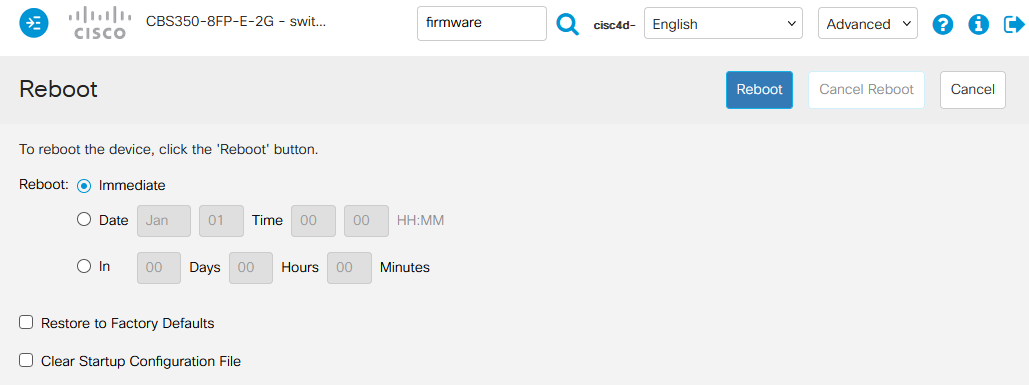
Puis sur '***reboot***'.
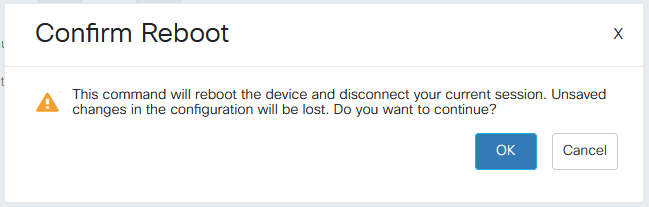
Choisir '***immediate***' puis '***reboot***'.
[](https://docs.labs404.fr/uploads/images/gallery/2026-07/scaled-1680-/QCDimage-png.png)
[](https://docs.labs404.fr/uploads/images/gallery/2026-07/scaled-1680-/PnCimage-png.png)
[](https://docs.labs404.fr/uploads/images/gallery/2026-07/scaled-1680-/fWeimage-png.png)