
Bookstack - Configuration SSO Oauth avec keycloak
 |
Difficulté : Confirmé Notions : Authentification, SSO |
I. Introduction
Cette procédure à pour but d'expliquer le paramétrage de l'authentification SSO de Bookstack avec Keycloak.
II. Côté Keycloak
2.1 Créer le client
Se connecter au keycloak et choisir le realm sur lequel ajouter le client portainer.
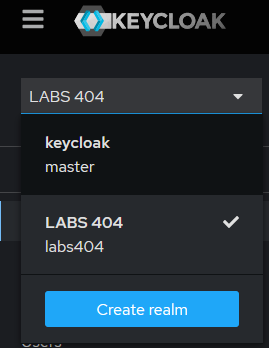
Cliquer sur 'Create client'

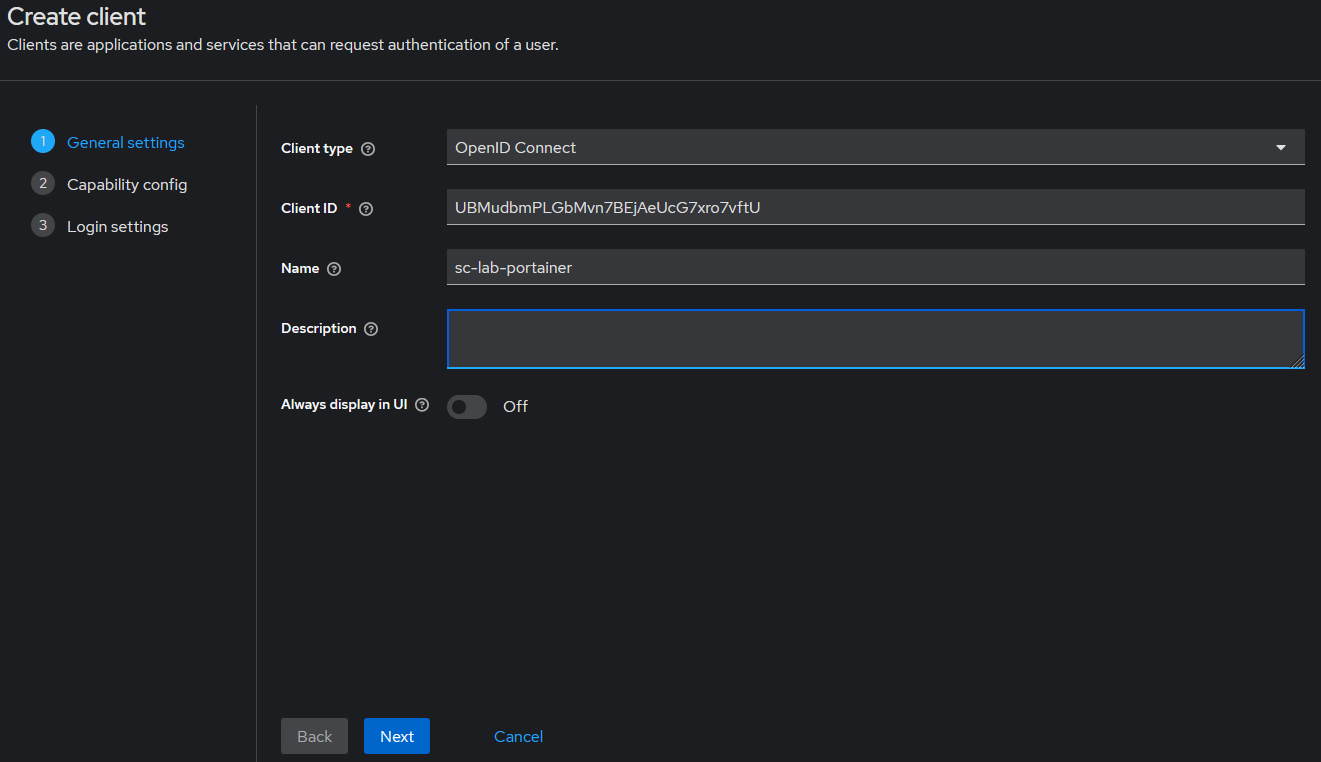
Sélectionner le type 'OpenID Connect'
Générer ou définir un 'clientID'.
Il est possible d'utiliser un générateur afin de générer un e chaîne de 32 caractères. Par exemple : ici.
Best Practice : 32 caractères avec minuscules, majuscules et chiffres.
Choisir un nom parlant.
Puis faire 'Next'.
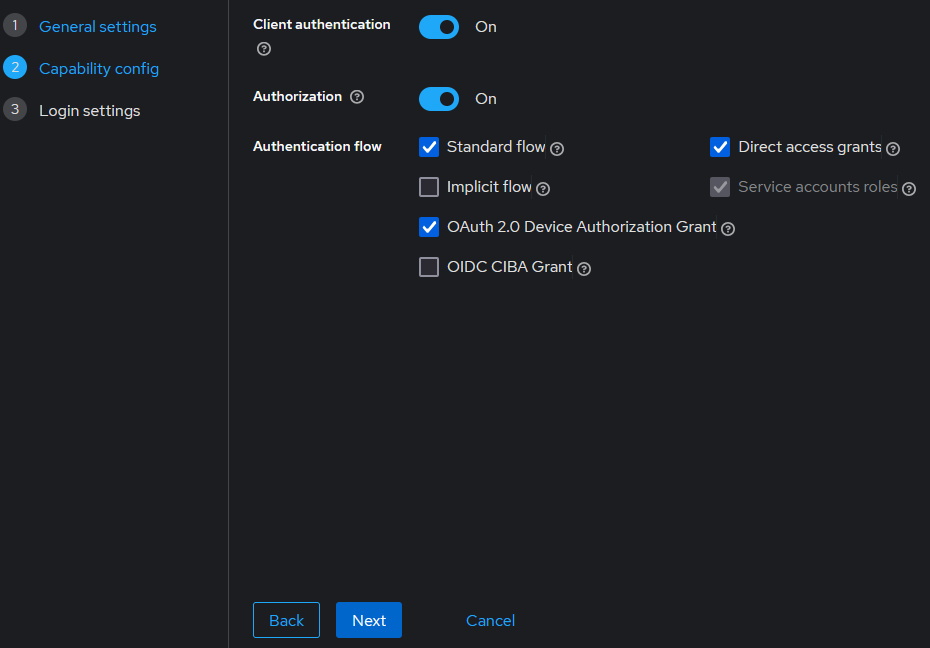
Sur la page suivante, activer 'Client authentication' et 'Authorization'.
Vérifier que les cases suivantes sont cochées.
Puis faire 'Next'.
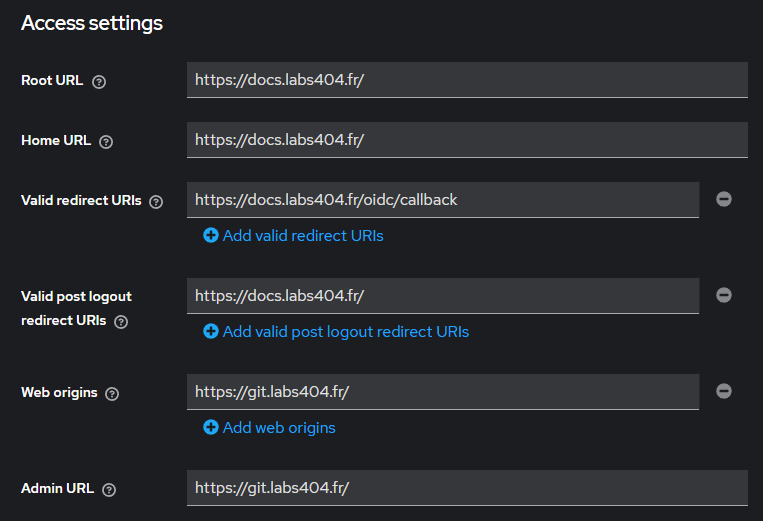
Entrer les URL au format suivant (en modifiant les FQND).
Puis faire 'Save'.
2.2 Préparer la synchro des groupes
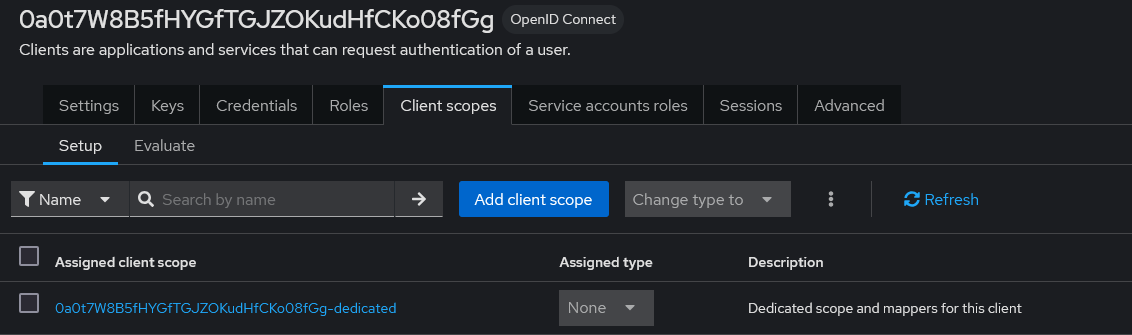
Afin de pouvoir gérer les droits depuis le keycloak et synchroniser les groupes, aller dans l'onglet 'Client scope'.
Choisir le client scope au nom du client suivi de '-dedicated'.
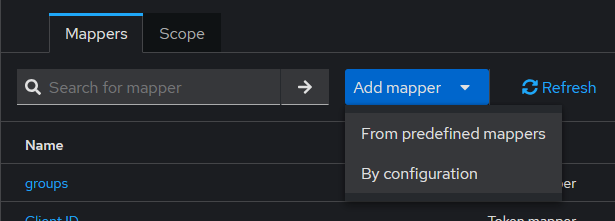
Faire 'Add Mapper' puis 'By Configuration'.
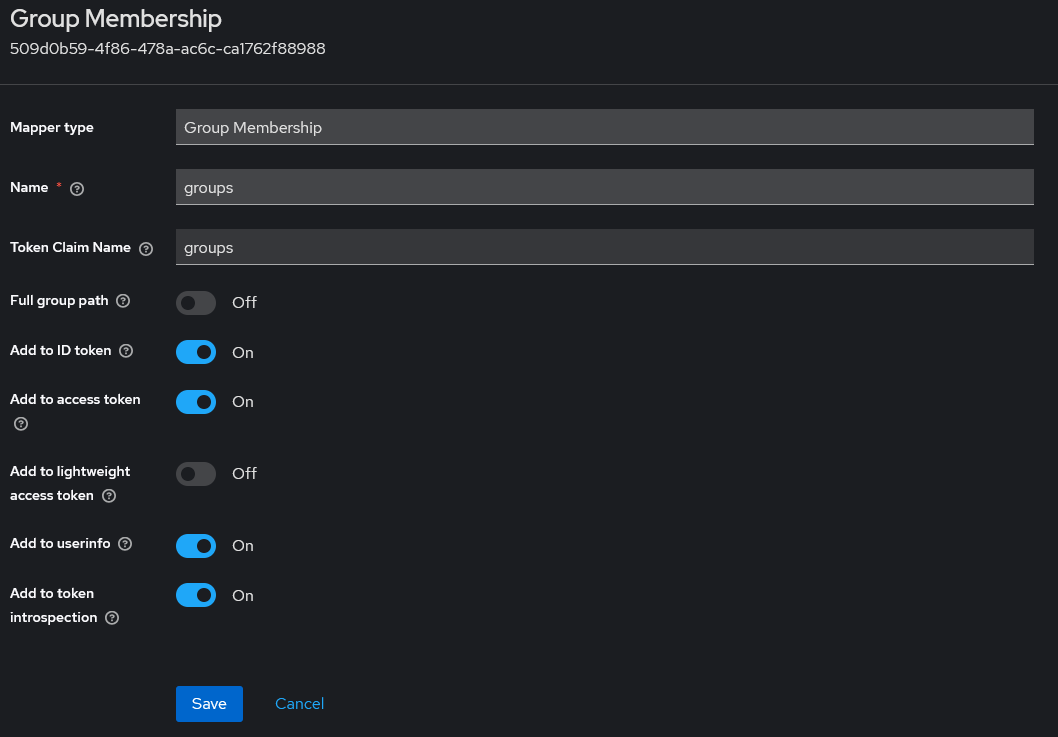
Choisir 'Group Membership'.

Définir le nom du mapper en 'groups'.
Définir le Token claim name en 'groups'.
Vérifier que les fonctions suivantes soit activées / désactivées.
Puis faire 'Save'.
2.3 Récupérer les URL
Pour récupérer les URL, sélectionner le realm et faire 'Realm settings' puis cliquer sur 'OpenID Endpoint Configuration'.
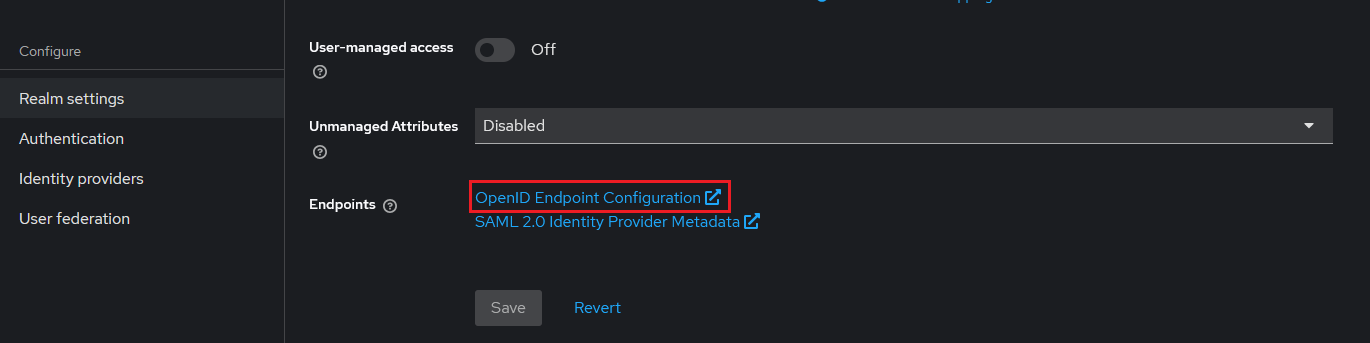
Une page s'affiche et permet de récupérer les URL.
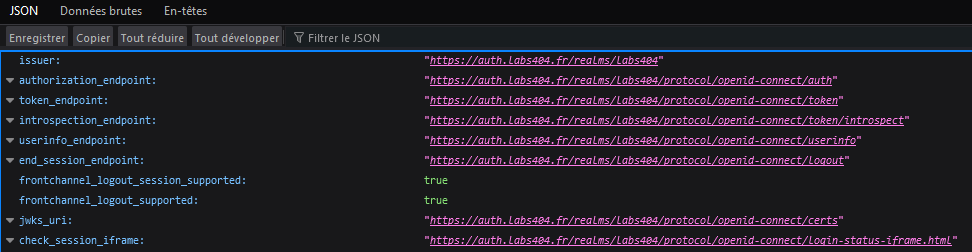
II. Côté Bookstack
Se connecter en SSH dans le container ou serveur / instance booksack.
Modifier le fichier '/var/www/Bookstack.env'
Ajouter le code suivant en modifiant les données nécessaires :
# Set OIDC to be the authentication method
#AUTH_METHOD=standard
AUTH_METHOD=oidc

# Control if BookStack automatically initiates login via your OIDC system
# if it's the only authentication method. Prevents the need for the
# user to click the "Login with x" button on the login page.
# Setting this to true enables auto-initiation.
AUTH_AUTO_INITIATE=false

# Set the display name to be shown on the login button.
# (Login with <name>)
OIDC_NAME="Oauth"

# Name of the claims(s) to use for the user's display name.
# Can have multiple attributes listed, separated with a '|' in which
# case those values will be joined with a space.
# Example: OIDC_DISPLAY_NAME_CLAIMS=given_name|family_name
OIDC_DISPLAY_NAME_CLAIMS=name

# OAuth Client ID to access the identity provider
OIDC_CLIENT_ID=<id client>

# OAuth Client Secret to access the identity provider
OIDC_CLIENT_SECRET=<secret client>

# Issuer URL
# Must start with 'https://'
OIDC_ISSUER=https://<external FQDN>/realms/<nom du realm>

# The "end session" (RP-initiated logout) URL to call during BookStack logout.
# By default this is false which disables RP-initiated logout.
# Setting to "true" will enable logout if found as supported by auto-discovery.
# Otherwise, this can be set as a specific URL endpoint.
OIDC_END_SESSION_ENDPOINT=true

# Enable auto-discovery of endpoints and token keys.
# As per the standard, expects the service to serve a
# `<issuer>/.well-known/openid-configuration` endpoint.
OIDC_ISSUER_DISCOVER=https://<external FQDN>/realms/<nom du realm>/.well-known/openid-configuration

# Enable OIDC group sync.
OIDC_USER_TO_GROUPS=true

# Set the attribute from which BookStack will read groups names from.
OIDC_GROUPS_CLAIM=groups

# Additional scopes to send with the authentication request.
# By default BookStack only sends the 'openid', 'profile' & 'email' scopes.
# Many platforms require specific scopes to be requested for group data.
# Multiple scopes can be added via comma separation.
#OIDC_ADDITIONAL_SCOPES=groups

# Remove the user from roles that don't match OIDC groups upon login.
# Note: While this is enabled the "Default Registration Role", editable within the
# BookStack settings view, will be considered a matched role and assigned to the user.
OIDC_REMOVE_FROM_GROUPS=true
Note : Après la mise en place du SSO, il ne sera plus possible de se connecter avec un utilisateur local. Cependant, il sera possible dans le fichier .env de rechanger la méthode d'authentification de 'oidc' à 'standard' pour que cela soit de nouveau possible.